Last updated: October 10, 2026
Key Takeaways
- The best tool depends on team size, page volume, and who edits before publishing.
- I compare editing logic, data sources, and output quality before dashboard polish.
- Blog posts and conversion pages need different software priorities.
- Budget, scale, and publishing model can change the right choice.
Quick answer: for most SEO workflows, the right content optimization software is the one your team will actually use on 10 to 50 pages a month, with clear guidance and exports. Content optimization software should help me decide what to change in a draft, what to leave alone, and when a page is already good enough to publish. If I am choosing the wrong tool, I end up with a prettier workflow and the same weak rankings; if I choose well, I get clearer briefs, faster edits, and fewer “rewrite everything” meetings. In Google Search Central’s helpful content guidance, the point is to make content useful for people first, which is the standard I use here: https://developers.google.com/search/docs/fundamentals/creating-helpful-content
What content optimization software should actually do for your SEO workflow

It should turn a messy page-review process into a repeatable decision path, not just highlight keywords in yellow. If I already have strong topic research and need help getting from draft to publish, I want software that shows gaps, competing terms, structure issues, and topical coverage in one place. If I mainly need titles and meta descriptions for a small site, a heavyweight suite may be too much.
Here’s the test I use: can the tool tell me what to fix in 10 minutes without making me open five tabs? A useful system usually covers four jobs:
- Compare my draft against top-ranking pages or a topic model.
- Suggest missing entities, questions, and subtopics.
- Help assign priority so I do not chase low-value edits.
- Fit into the tools I already use, such as Google Docs, WordPress, Ahrefs, Semrush, Surfer, Clearscope, or Frase.
The honest trade-off is speed versus control. Tools like Clearscope or Surfer are good when I want quick editorial guidance. More general SEO suites like Semrush or Ahrefs are better when content optimization is only one part of the workflow, but they can feel heavier and less editorial. If I am choosing for a solo blog, that weight matters. If I am choosing for a team with writers, editors, and SEO leads, it can be a feature.
Quick check: if you want the software to tell you exactly what to change in a draft, not just track rankings, this section is your lane.
Which type of team needs which kind of tool?
The right tool depends on who touches the draft before it ships, and how many pages a month you publish. If I am a solo consultant writing 4 to 10 pages a month, I want one interface, one subscription, and as little switching as possible. If I am managing 50 or 500 pages a month, I need workflow controls, templates, and reporting that a freelancer tool may not have.
| Situation | Best Path | Why Other Options Fail |
|---|---|---|
| Solo creator publishing a few pages a month | Lightweight content optimizer with strong on-page guidance | Big suites waste time and money when you do not need enterprise reporting |
| Small marketing team with one SEO owner | Mid-market SEO suite plus an editor-facing optimizer | Pure audit tools do not help writers revise the page |
| Agency with many clients | Tool with templates, brand sets, and shareable reports | One-off editors do not scale across clients or approvals |
| Enterprise content program | Platform with permissions, integrations, and workflow controls | Single-user tools break down when legal, SEO, and content all review drafts |
If my work is mostly blog posts, I would prioritize editorial guidance over rank tracking. If I am optimizing service pages, product pages, or programmatic templates, I care more about scale, rules, and repeatability. A 1,000-word blog post can often be improved with clear entity coverage and headings; a 5,000-page site needs system design, not just good advice. For a broader workflow on refreshes and page systems, see SEO content updates and content brief templates.
The wrong move is buying for the biggest future version of the team before the workflow exists. A team of three does not need an enterprise approval chain just because the vendor sells one. That is how software turns into shelfware.
Quick check: if more than two people need to approve a page, or if you publish at least weekly, you need workflow features, not just suggestions.
How do I compare features without getting fooled by marketing?
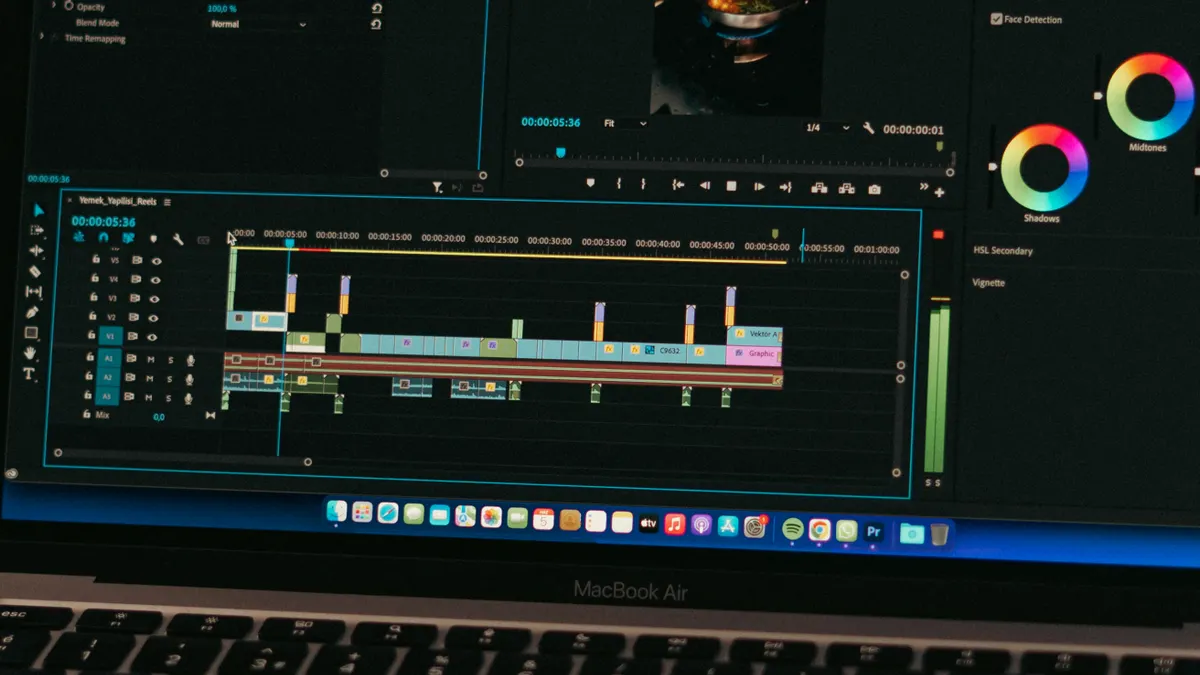
I compare the editing logic, the data source, and the output quality before I compare the shiny dashboard. If a vendor says it uses AI, NLP, SERP analysis, or topic models, I want to know what that means in practice: does it recommend headings from top-ranking pages, extract entities from the query universe, or just generate generic text?
A practical comparison usually comes down to these checks:
- Does it show clear reasons for each suggestion, or just a score?
- Can it work on live drafts, not only pasted text?
- Does it support the content types I write: blog posts, service pages, landing pages, product pages?
- Does it allow team comments, assignments, or change tracking?
- Can it export a brief, or do I have to copy and paste everything?
- Does it integrate with Google Docs, WordPress, CMS platforms, or a browser extension?
- Does it handle a single page well, or can it support batch optimization?
A score without context is risky. A “90/100” that does not explain what is missing can push me toward keyword stuffing or bloated structure. I trust tools more when they show gaps in headings, question coverage, or semantic terms I can actually verify against the SERP.
For a reality check, I like comparing the vendor’s claims against Google’s own guidance on helpful, people-first content and Search Central documentation, plus independent documentation from organizations like Semrush or Ahrefs:
- https://developers.google.com/search/docs/fundamentals/creating-helpful-content
- https://developers.google.com/search/docs/fundamentals/seo-starter-guide
- https://ahrefs.com/blog/search-engine-optimization/
- https://www.semrush.com/blog/seo-content/
Those pages will not tell me which SaaS to buy, but they do keep me honest about what optimization can and cannot do. If a tool promises ranking results without improving the page, that is a red flag. For a related workflow view, content optimization basics can help.
Quick check: if the product cannot explain why it recommends a change, I would treat the suggestion as a hint, not a decision; if the explanation is still unclear, I would consult an SEO professional.
What should I choose if I’m optimizing blog content versus money pages?
I would choose differently for a blog post than for a page meant to convert visitors into leads. If the page is informational, the goal is topical completeness, clean structure, and clear answers. If the page is commercial, the tool needs to help with intent alignment, objections, trust signals, and copy that does not sound like a topic cluster pasted into a brochure.
For blog content, I want tools that make it easy to map related questions, entities, and sections. Clearscope and Surfer are often mentioned for this kind of editorial work, while Frase is commonly used when question coverage and brief generation matter. Those tools fit writers who need a fast path from outline to draft.
For service pages or landing pages, I want the software to help me weigh SEO against conversion. A page can score well on topical coverage and still underperform if the offer is vague, the CTA is buried, or the page tries to answer every query at once. In this case, a broader SEO suite plus a careful editor may be better than a narrow content tool alone. If conversion is the priority, landing page SEO is a better comparison point.
If I am working on product pages, I care about templates and consistency. Repeating the same pattern across dozens or hundreds of pages makes workflow features more important than one-off editing advice. The difference shows up fast when a 30-page product catalog needs a consistent heading structure by Friday.
I would avoid tools that push every page toward the same shape. A blog post, a comparison page, and a product page do not deserve the same outline. If the software makes them all look identical, it is helping the platform more than the page.
Quick check: if the page’s job is to rank and educate, choose for topical coverage; if the page’s job is to rank and convert, choose for editorial control and CRO awareness too.
The 3 conditions that change everything
The answer changes if budget, scale, or publishing model changes. If any one of those shifts, the “best” tool often becomes the wrong tool.
-
Budget under a few hundred dollars a month
If that is the ceiling, I would skip bloated enterprise systems and pick one optimizer that writers will actually open. The goal is adoption, not feature bragging rights. If the team ignores it, the price is still too high. -
Publishing at scale
If I need to optimize dozens of URLs a week, I want bulk workflows, shared templates, and exports. Manual page-by-page editing breaks down fast. A tool that is fine for 12 posts a month can become painful at 120. -
Multiple stakeholders
If SEO, content, product, and legal all touch the draft, I need comments, permissions, and auditability. A standalone editor is too fragile here. The wrong choice creates version chaos, not better rankings. -
International or multilingual content
If the site spans more than one language or market, I want a tool that does not assume one SERP behavior fits all. A keyword map for English can mislead you in French, German, or Spanish markets. Local search intent matters. -
Heavy CMS dependence
If the work lives in WordPress, Contentful, Drupal, or a custom CMS, integration becomes a deciding factor. A nice analysis screen is not enough if every edit has to be retyped elsewhere.
The standard advice fails when it treats software like a ranking machine. Content optimization software is a workflow tool first and an SEO tool second. If the workflow is broken, the rankings usually stay broken too. Google Search Central’s documentation is still the safest baseline for fundamentals, especially when a tool starts promising shortcuts: https://developers.google.com/search/docs/fundamentals/seo-starter-guide
Quick check: if your bottleneck is approvals, scale, or language markets, prioritize workflow features before scoring features.
Edge cases: when the normal advice breaks down
The normal advice breaks down when the page type, team structure, or search result pattern is unusual.
-
Situation: You are optimizing a page that already ranks, but traffic is flat.
What changes: the issue may be snippet appeal, CTR, or intent mismatch, not missing keywords.
What to do instead: choose software that helps with SERP analysis, title testing, and content gap review, not just on-page scoring. -
Situation: You manage a large library of legacy pages.
What changes: individual page advice is too slow.
What to do instead: use tools with bulk analysis and prioritization so you can fix the top 20% of pages that matter most. -
Situation: Your writers need guidance, but the SEO team wants control.
What changes: the tool must support both editorial freedom and rule-based consistency.
What to do instead: pick a platform with templates, comments, and permissions rather than a single-user optimizer. -
Situation: You are building programmatic or templated pages.
What changes: the problem is scale and repetition, not handcrafted prose.
What to do instead: favor integration, fields, and repeatable rules over word-by-word recommendations. -
Situation: Your site is in a niche with thin SERPs.
What changes: there may be too little ranking data for the software to imitate.
What to do instead: rely more on subject expertise, customer language, and search console data than on competitor page comparisons. -
Situation: The content must be legally reviewed.
What changes: version control and traceability matter more than flashy recommendations.
What to do instead: use a workflow that preserves comments, approvals, and final edits. For regulated industries, I would also keep professional review in the loop.
Quick check: if the SERP is weird, the site is huge, or legal review is involved, simple optimization scoring is not enough.
How to choose content optimization software step by step
I would choose in six steps and refuse to buy before step 5 is clear. That sounds slow, but it avoids the classic mistake: picking software based on a demo that looks good and behaves badly in real workflow.
- A tool that is great for blog briefs may be awkward for landing pages.
- List the real bottleneck. Is the issue research, drafting, approvals, publishing, or refreshes? If the problem is approvals, a content score will not fix it.
- Test one live draft. Run a real page through the tool, not a vendor sample. I want to see how many changes it suggests, how clear the rationale is, and whether the edits feel practical.
- Check the output format. Can it create a brief, export notes, or sync with Google Docs or WordPress? If the answer is no, every edit gets slower.
- Compare against alternatives. Put the candidate next to one general SEO suite, one specialist optimizer, and one simple manual workflow. Sometimes the simplest setup is the right one.
- Estimate the real cost. I am not just buying a subscription. I am buying setup time, team training, and the chance that people will actually use it every week.
A useful final filter: if the software makes one page 10% better but adds 30 minutes of friction, it may not be worth it. If it saves 30 minutes on every draft and keeps the team aligned, that is the better buy even if the interface looks less impressive. For implementation support, SEO workflow tools can be a useful internal comparison.
Quick check: if you cannot name the bottleneck, you are not ready to compare tools yet.
What I would buy in practice, and what I would skip
I would buy a specialist optimizer when the main job is editorial guidance, and I would buy a broader SEO suite when optimization is only one slice of a larger workflow. That is the cleanest split.
Pick a specialist tool like Clearscope, Surfer, or Frase if:
- writers need clear page-level guidance,
- you publish content regularly,
- and the main outcome is better on-page relevance.
Pick a broader suite like Semrush or Ahrefs if:
- you need keyword research, competitive analysis, auditing, and content help in one place,
- you already have an editing process,
- and SEO is not just a content problem.
Skip the tool entirely, at least for now, if:
- the site is tiny,
- the team changes often,
- or no one owns implementation after the recommendation appears.
I would also skip any vendor that hides the real workflow behind marketing language.
Drafted with AI; not yet reviewed by a person.