
Last updated: October 13, 2026
Key Takeaways
- NLP terms show you what related language top pages use, not what you must repeat.
- Group the terms, assign each group a job, and place them where readers expect proof.
- Overusing strong terms in every section makes the page feel engineered.
- For editorial pages, use NLP terms to fill gaps after you choose the angle.
Quick answer: Use about 5 to 10 core NLP terms, grouped into 3 to 6 sections, and check them against search intent before you draft.
Bland drafts usually come from treating an SEO content optimizer like a word counter. Use NLP terms as a scoring and editing lens instead, and the page gets sharper without turning into a term dump. The point is simple: map the topic’s real language—entities, related concepts, missing angles—then let that map shape headings, body copy, and coverage. In this article, How to Use NLP Terms in an SEO Content Optimizer means using those suggestions to improve an article without stuffing it full of jargon.
In short: NLP terms help you write the page Google expects to see around a topic, but they do not replace search intent, judgment, or clean prose.
What NLP terms actually do in an SEO content optimizer
Pages already ranking for a topic reveal the vocabulary an optimizer is likely to surface. That means entities such as “Google Search Console,” “latent semantic indexing” when people misuse the term, “natural language processing,” “entity,” “topic modeling,” and related nouns like “headings,” “coverage,” or “intent.” Cramming in every suggestion is the wrong move. Better to keep the terms that fit the article’s job and ignore the decorative clutter.
Why bother with the distinction? Because a tool can only help when you know what it is measuring. Some products behave more like term suggestion engines; others score your copy against top-ranking pages. Useful, yes — but they can also push you toward the wrong standard when the keyword is broad. A page on “SEO content optimizer” needs software terms, workflow terms, and editorial terms. A page on “NLP terms in SEO” needs explanation, examples, and decision rules. Same cluster on the screen, different article in practice.
I would treat NLP terms as evidence, not instructions. Honestly, that saves a lot of cleanup later. If the topic affects high-stakes decisions, consult a qualified SEO or editorial professional before making changes. When a term appears because the subject genuinely needs it, include it. When it appears only because the top ten pages are bloated with the same filler, drop it. A tool like Surfer, Clearscope, MarketMuse, or Frase can surface the pattern; your job is to decide whether the pattern is worth following. Google’s own guidance on helpful, people-first content supports that judgment, and Search Console can show whether your changes help real queries. That judgment is where most generic articles go wrong. See Google Search Central’s helpful content guidance and Search Console documentation: https://developers.google.com/search/docs/fundamentals/creating-helpful-content and https://support.google.com/webmasters/answer/9128668
| Situation | Best Path | Why Other Options Fail |
|---|---|---|
| Broad informational keyword | Use NLP terms to map subtopics, then write to intent | Chasing every suggested term makes the page noisy |
| Narrow product keyword | Prioritize use-case terms and integrations | Generic NLP lists miss the purchase decision |
| Existing page underperforming | Compare missing entities against top-ranking pages | Rewriting for density alone often changes nothing |
| New page from scratch | Build an outline from term groups before drafting | Writing first often creates gaps you later have to cut |
Quick check: If you can explain why a term belongs in one sentence, it probably belongs; if your only reason is “the optimizer suggested it,” skip it.
How do I use NLP terms without stuffing keywords?
Group the terms, give each group a job, and place them where readers naturally expect proof. If you are working inside a content optimizer, the process should feel like editing, not counting. That matters because an article can mention “entities” ten times and still miss the topic if the structure is weak.
Start with three buckets:
- Core subject terms — the exact language of the topic, such as “NLP terms,” “SEO content optimizer,” and “content optimization.”
- Supporting concepts — terms that explain the mechanism, such as “search intent,” “entities,” “topical coverage,” and “related queries.”
- Decision terms — terms that help a reader act, such as “tool,” “workflow,” “audit,” “headings,” “brief,” and “draft.”
Next, place each bucket where it does the most work. Core subject terms belong in the title, intro, and at least one H2. Supporting concepts belong in the body where they clarify the process. Decision terms fit best in steps, checklists, and comparisons. If a term does not help a reader choose, fix, or understand something, it is probably padding.
Frequency obsession is the trap. Many optimizers encourage you to “include more related terms.” Half right, at best. More terms help when they increase topical completeness; they hurt when they turn sentences into keyword soup. A page that reads naturally usually beats one that mechanically mirrors the top 20 terms in the tool.
A practical rule: if you can swap the term for a simpler word and nothing changes, keep the simpler word. If the swap removes a needed concept, keep the technical one. That is especially true for software pages, where readers want to know how the tool fits into a workflow and what it costs in time, setup, and editorial friction. Clunky prose is a dead giveaway.
- Paste the target keyword into the optimizer and identify the top-ranking page pattern.
- Pull out the 10 to 20 terms that show real topical overlap, not just repeated fluff.
- Sort them into core subject, supporting concept, and decision term buckets.
- Write the outline first, using one bucket per section where possible.
- Draft normally, then revise only the spots where a missing term signals a missing idea.
- Read the article aloud once. If the term sounds forced out loud, it will read forced on the page too.
If you are using a tool like Clearscope or Frase, think in terms of coverage gaps, not score chasing. If you are using an optimizer inside a CMS, the same rule applies. The number matters less than the shape of the page. A 1,000-word draft that covers the right concepts beats a 1,600-word draft padded with near-synonyms. For a deeper workflow, see Google’s content guidance and Search Console’s query data.
Quick check: If your revision plan is “add this idea here” instead of “add this term here,” you are optimizing the right layer.
Which NLP terms belong in headings, body copy, and metadata?
Headings should carry the strongest NLP terms, body copy should explain the middle-weight ones, and metadata should only reflect the query and the page’s promise. Put every strong term everywhere and the page starts to feel engineered instead of useful.
A good H2 does two jobs: it names the section’s purpose and signals the vocabulary of the topic. For an article about using NLP terms in an SEO content optimizer, one H2 should naturally include that subject phrase or a close variant. Another can handle the workflow. A third should cover limits or edge cases. Readers get a clear map; crawlers do too.
Body copy earns the right to use the terms. A heading can say “How to group NLP terms,” but the paragraph underneath has to show what that means in practice. Bring in software terms like “keyword list,” “topical map,” “SERP analysis,” “entity extraction,” and “content brief” only when they actually serve the explanation. Otherwise, leave them on the cutting-room floor.
Metadata gets overworked all the time. Title tags and meta descriptions should reflect the query and the page’s promise, not every term the optimizer surfaced. A title that tries to squeeze in five related phrases usually becomes unreadable; a clearer one usually performs better because real people still have to click it. That trade-off is easy to miss.
Here is the real balancing act: use NLP terms only in the body, and the article may feel thin up top; force them into every heading and snippet, and readability suffers. For informational pages, I would choose readability first. For pages meant to support a software decision, I would lean harder into conversion language. Different goal, different mix.
Quick check: If a term makes the heading clearer, use it; if it only makes the heading longer, cut it.
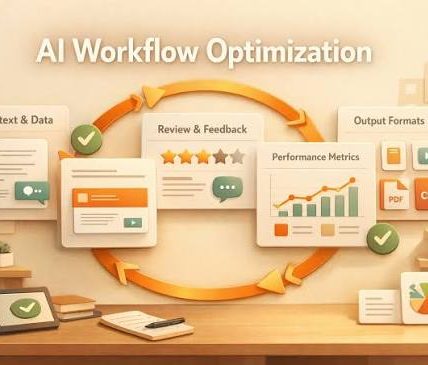
If you are optimizing an article, here is the workflow I would follow
Editorial pieces should start with the angle, then use NLP terms to fill the gaps. That order matters because articles live or die on usefulness, and usefulness comes from sequence: question, answer, proof, next step. Let the optimizer support that sequence, not take it over.
Here is the workflow I would use for a 1,200 to 1,800 word article:
- Identify the reader’s exact task. For this topic, the task is usually “use NLP term suggestions without making content worse.”
- Scan the top results and note the repeated concepts, not just repeated words.
- Group terms into 4 to 6 sections before drafting. That keeps the article from becoming a dump of suggestions.
- Write the opening as an answer, not a setup. Put the subject in the first paragraph.
- Draft each section around one decision: what to include, what to ignore, what changes the answer.
- Use one example per section where the difference between good and bad usage is obvious.
- Trim any term that adds no meaning after the second mention.
Tool language needs restraint, too. Mention popular products only when they help the reader anchor the workflow. Surfer, Clearscope, MarketMuse, Frase, Ahrefs, Semrush, and Google Search Console each do a different job. Search Console tells you how the page is performing. The other tools help more with term coverage and competitor comparison. Mixing those up is a common mistake; diagnosis is not drafting. If you are moving from draft to revision, a related article on content briefs, keyword research, or on-page SEO can help.
The biggest error I see in optimizer-assisted drafts is treating NLP output like a checklist of words to hit. That creates pages that technically include the right terms but still miss the reader. A better question is this: what does this term let me explain that I could not explain as cleanly without it? If the answer is nothing, the term is decorative. If this is a client-facing or regulated topic, consult a professional before applying the advice.
One honest limitation: this approach is slower than “paste keywords into draft and expand.” It also asks for more judgment than a template can give. If you need bulk content at high speed, an optimizer can help standardize coverage, but it will not replace editorial decisions.
Quick check: If your outline would still make sense after you remove the optimizer, you are using the tool well.
When the standard advice is wrong
Standard advice falls apart when an article has to do more than one job, when the SERP shifts around, or when the tool’s suggestions come from the wrong intent. In those cases, forcing NLP terms into a “best practice” structure can make the piece weaker, not stronger.
Here are the edge cases that matter:
-
Situation: Product page, not article.
What changes: Conversion intent beats topical breadth.
What to do instead: Keep NLP terms focused on features, integrations, use cases, and pricing-adjacent language. If the page is for an SEO content optimizer, terms like “brief,” “editor,” “content score,” “workflow,” and “team” matter more than academic NLP vocabulary. -
Situation: Very narrow query with one clear answer.
What changes: Extra related terms can muddy the answer.
What to do instead: Use only the few terms that define the concept. A 500-word page can rank if it answers the query cleanly. -
Situation: The SERP is dominated by listicles and tool roundups.
What changes: The user likely wants comparison, not theory.
What to do instead: Put tool names, trade-offs, and selection criteria early. “Best for X” language becomes more useful than long explanations of terminology. -
Situation: The optimizer suggests terms that belong to a neighboring topic.
What changes: Similarity is not relevance.
What to do instead: Reject terms that shift the article into a different search intent, even if they appear in top-ranking pages. -
Situation: You are updating an existing article that already ranks.
What changes: Small edits can move the article too much.
What to do instead: Add missing entities and tighten headings first. Do not rewrite the whole thing unless the article is clearly off-intent. -
Situation: You have to publish fast, in under 2 hours.
What changes: Full optimization becomes expensive in time.
What to do instead: Use the optimizer for the intro, headings, and one gap scan, then stop. A partial improvement is better than a rushed overfit.
A lot of generic advice says “include semantically related terms.” True, but incomplete. The real call is which related terms preserve the article’s purpose. When that purpose is software evaluation or software guidance, the trade-off is usually topical breadth versus practical clarity. I would choose clarity almost every time.
Quick check: If a suggested term would move the article toward a different intent, leave it out, even if the tool likes it.
What is the fastest way to turn NLP suggestions into a content brief?
Turn the NLP terms in an SEO content optimizer into section-level requirements, not line-level marching orders. That gives a writer room to write while still keeping the draft anchored to the topic. For a software-related article, that balance is usually right.
Start with a brief template:
- Task: What job the reader is trying to finish.
- Primary intent: Informational, commercial, or transactional.
- Must-include terms: 5 to 10 core and supporting terms.
- Must-answer questions: 3 to 5 reader questions.
- Do-not-use terms: Terms that belong to a neighboring topic.
- Structure: Which section gets which term group.
If you are using Google Search Console, the query data should shape the brief more than the tool score does. Search Console shows the actual language people used to land on the page. That is often more useful than a generic NLP list because it reflects your audience, not just a competitor set. For broader coverage, tools like Semrush or Ahrefs can help you see adjacent queries, but I would still filter through intent before writing. Google’s Search Central documentation is the cleanest public source for that workflow: https://developers.google.com/search/docs/fundamentals/creating-helpful-content
A good benchmark is completeness, not percentage. Does the brief tell the writer what the article is for, what it is not for, and what evidence each section needs? If yes, the optimizer did its job. If the brief is just a long list of terms, it did not.
The trade-off is speed versus precision. A 10-minute brief is fine for a low-stakes article. A 30-minute brief is better when the page has to rank and convert. After that, you are usually polishing the brief instead of improving it.
Quick check: If the brief can be handed to another writer and still produce the right article, it is ready.
Drafted with AI; not yet reviewed by a person.